
How to Convert Between Currencies
Conversions let you exchange one currency in your account for another directly within the Orbital Client Portal.
Initiate a New Conversion
- Navigate to Treasury Solutions → Conversions from the left-hand menu.
- Click "Convert Currency". This will open the Conversion form.
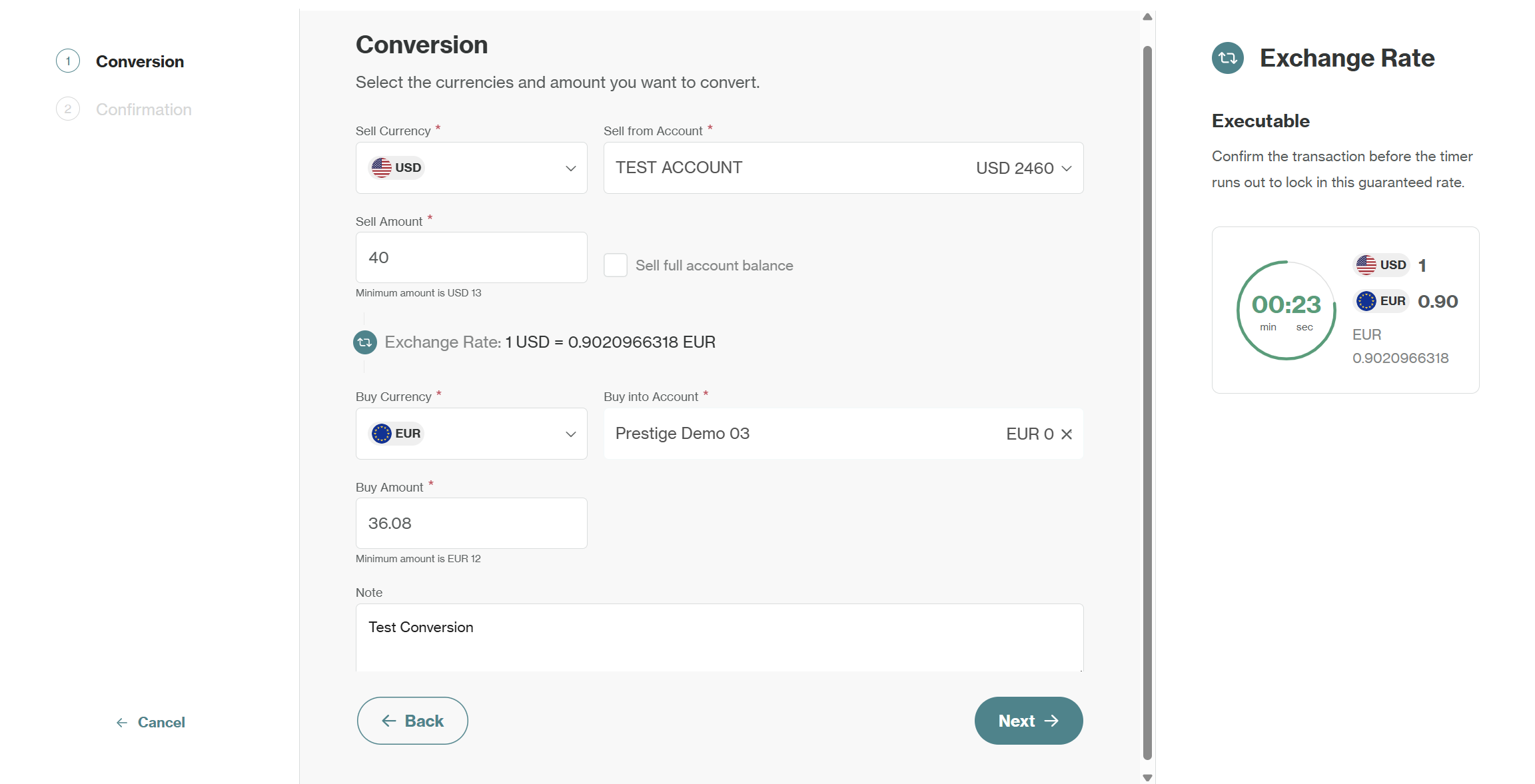
- Specify the currencies and amounts for your exchange in the form:*
Sell Currency:
- Select the currency you wish to sell (e.g., USD).
- Choose the account to sell from.
- Enter the Sell Amount (e.g., 40) or tick the Sell full account balance box to convert all funds.
Alternatively, you can specify the buy currency amount instead, and the sell currency amount will auto-update, allowing you to choose either approach based on your needs.
Buy Currency:
- Select the currency you wish to buy (e.g., EUR).
- Choose the account to buy into.
- The Buy Amount will automatically populate based on the exchange rate.
- Optionally, you can add a note describing the transaction.
- Once you've filled in the details, click Next.
You can check the Exchange Rate section for more details on indicative vs. executable rates.
- Carefully review all the details before you submit on the confirmation screen:
- Sell section (currency, amount, account name).
- Buy section (currency, amount, account name).
- Exchange Rate displayed on the right.
- If everything is correct, click "Confirm" to submit your conversion.
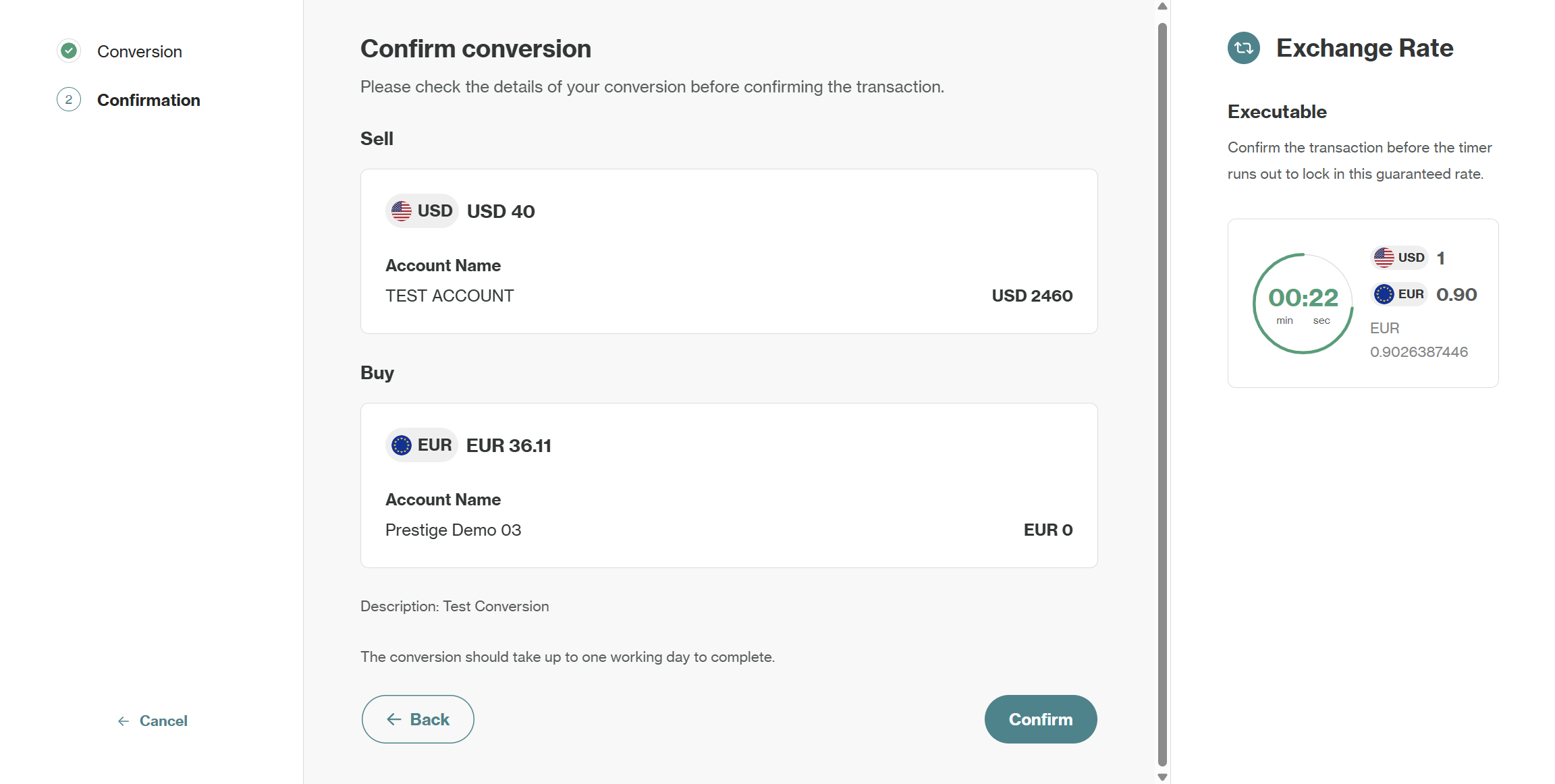
The conversion will begin processing immediately and should be completed within one working day. The new balance will be available in the destination account.
Track your Conversions
After a conversion is submitted, you can find it under the Conversions table. You can use the Filters in the top-right corner to search by currency pair, transaction reference, or date range. This provides a clear record of all past exchanges between your accounts.
Indicative vs. Executable Rates
The Exchange Rate displayed on the right panel will be either Indicative or Executable, depending on the currencies and market conditions.
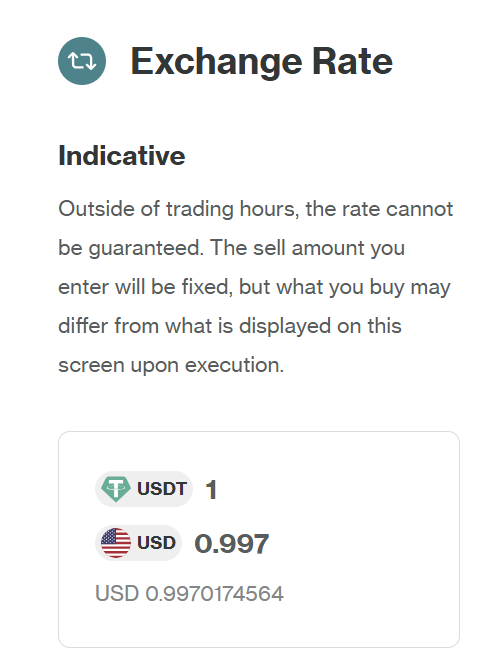
Indicative Exchange Rate: This is an indicative rate and is subject to change. Outside of trading hours, the rate cannot be guaranteed. The sell amount you enter will be fixed, but what you buy may differ from what is displayed on this screen upon execution.
Example: You initiate a conversion of 1000 USDT to USD. The screen shows an indicative rate of 1 USDT = 0.997 USD, suggesting you'll receive 997 USD. However, if the market shifts before execution, the final USD amount you receive might be slightly different.
Executable Exchange Rate: This is an executable rate. Confirm the transaction before the timer runs out to lock in this guaranteed rate. You will get the exact exchange rate at the moment your transaction is confirmed.
Example: You see an executable rate of 1 EUR = 0.82 GBP with a 30-second timer. If you confirm within that time period, you are guaranteed to receive 0.82 GBP for every 1 EUR you sell, regardless of minor market fluctuations during that window.
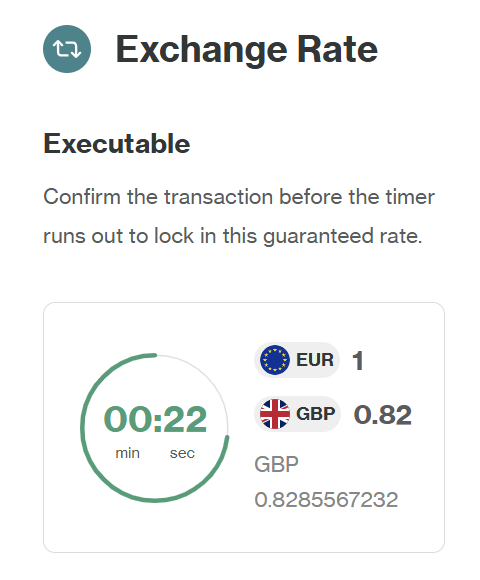
The length of the timer for an executable rate will vary based on the currency pair selected. If the timer runs out, the executable rate will refresh and the timer will restart.
Updated 10 months ago