
How to Send a Single Manual Payout
A Single Manual Payout allows you to perform a payout from a PMID to an inputted beneficiary, via the Client Portal.
Initiating a Manual Payout
-
From the left-hand navigation menu, go to eCommerce → Pay Outs.
-
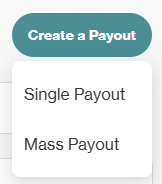
Click Create Payout → Single Payout to proceed to the Create a manual payout modal.
-
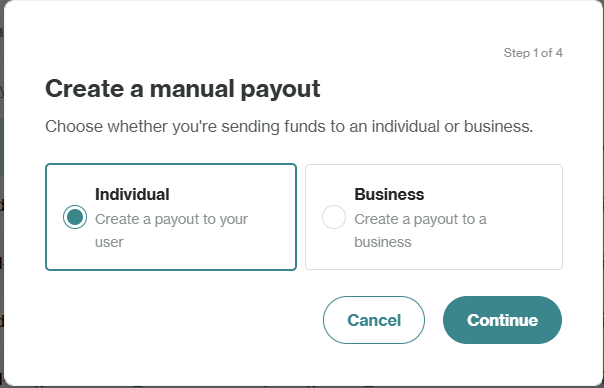
Select whether the recipient type:
- Individual: For payouts to individual users
- Business: For payouts to business entities
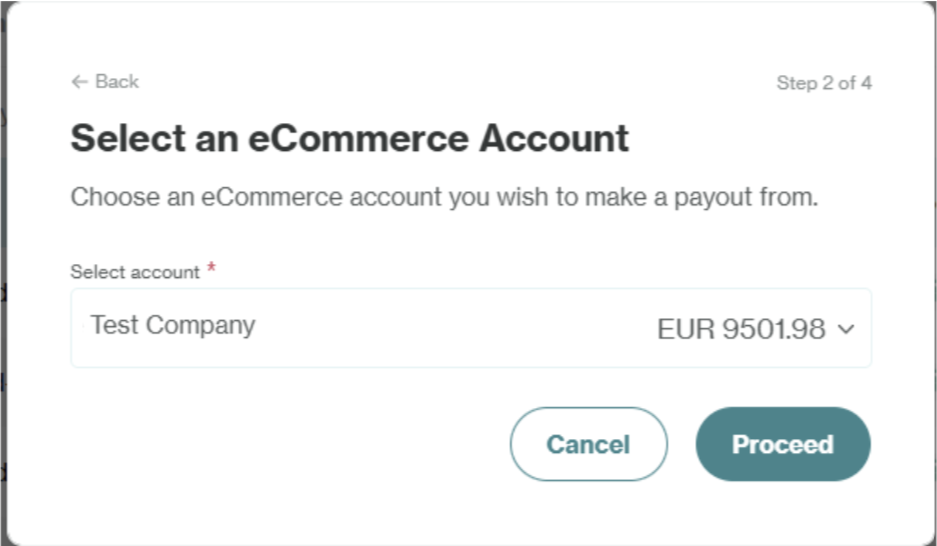
- Select the eCommerce Account/PMID which will fund the manual payout.
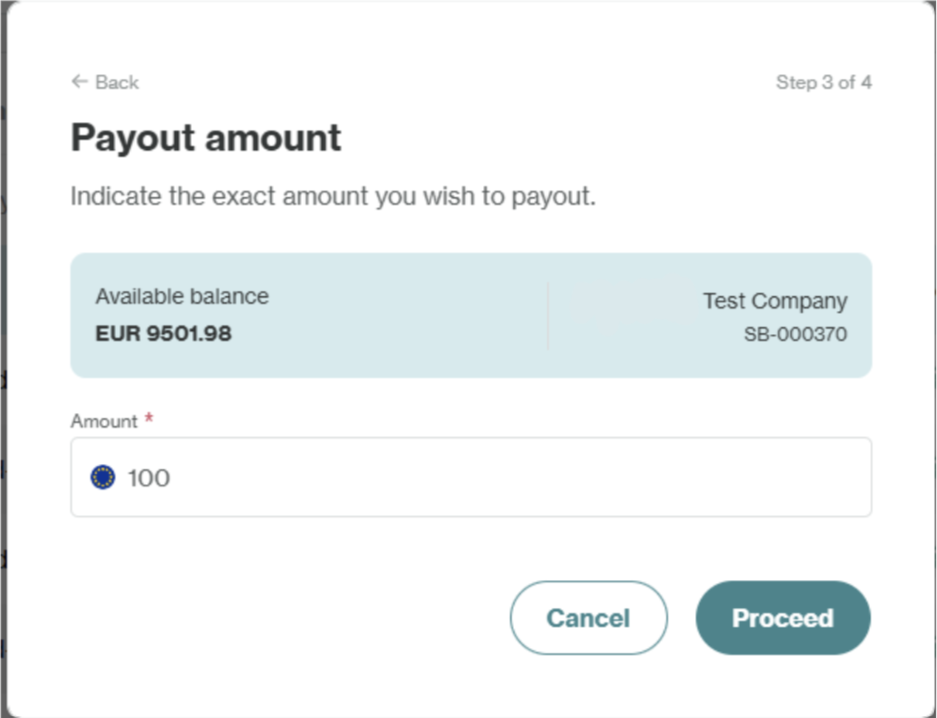
- Input the amount (in the source currency of the PMID) you wish to be transferred. Ensure it is does not exceed the amount in the selected account.
- Fill out the details of the recipient, including all relevant Travel Rule information for that particular payout, the target currency and associated wallet address. Required data may include:
- First Name: Enter the recipient's first name (for Individual recipients only).
- Last Name: Enter the recipient's last name (for Individual recipients only).
- Country of residence: Select the recipient's country from the dropdown (for Individual recipients only).
- Date of Birth: Enter the recipient's date of birth (for Individual recipients only).
- Registered/Trading Name: Enter the recipient's registered/trading name (for Business recipients only).
- Type of Company Identifier: Use the dropdown to select whether you will provide the Company Registration Number or the Legal Entity Identifier (LEI) as the Company Identifier.
- Company Registration Number/Company LEI: Depending on your selection for Type of Company Identifier, input the relevant identifier.
- Target Currency: Select the desired currency for the payout.
- Wallet address: Enter the recipient's wallet address.
- Remarks: Add any relevant notes about the payout.
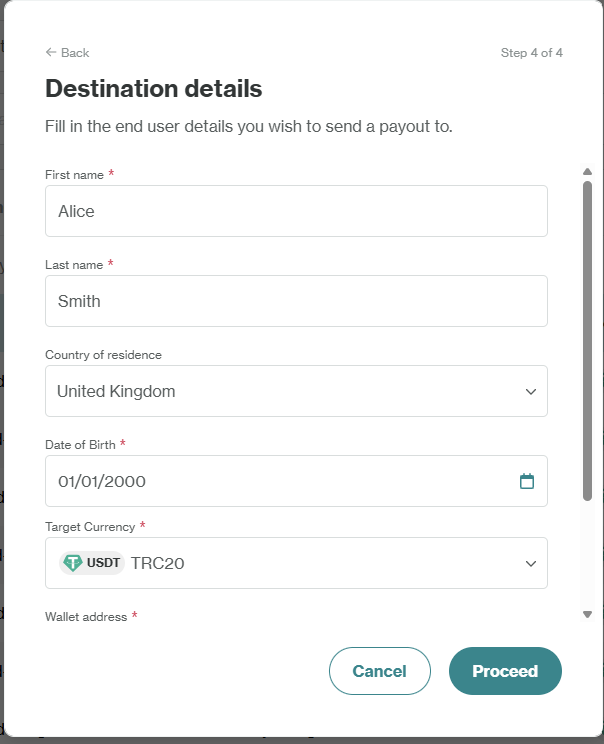
- After entering all relevant fields, click Proceed to initiate the payout.
If Approval Rules are on, your payout will enter the Approval Queue and will need to be reviewed by designated approvers. Once approved, the funds will be transferred to the recipient's wallet address. Payouts pending for more than 3 months are automatically cancelled.
Viewing a Manual Payout
You can view the status of a Manual Payout through viewing its Transaction Summary.
Updated 10 months ago
Did this page help you?